Friday, June 14, 2019

Final thing reflection


It is really hard to believe that this workshop has come to an end....  my first blog post for this series of classes was from 2010...  my how my own skills have changed, what tech I use now, and what changes have been made in my library space too....

Polly you have done an amazing job putting together resources, topics and keeping us all organized and inspired.  That is how I will end my experiences over that last several years with Cool Tools..... inspired.  I look back at the number of things I have learned, tried, and brought into my teaching space.  There are so many more that I want to try and work in.

I was at a LMS meeting several weeks ago and one of our activities was to look at goals for ourselves for next year.  My goal was to try to incorporate at least one more or new technology piece with each grade level at my school.  This year I concentrated on turning my computer lab into a makerspace.


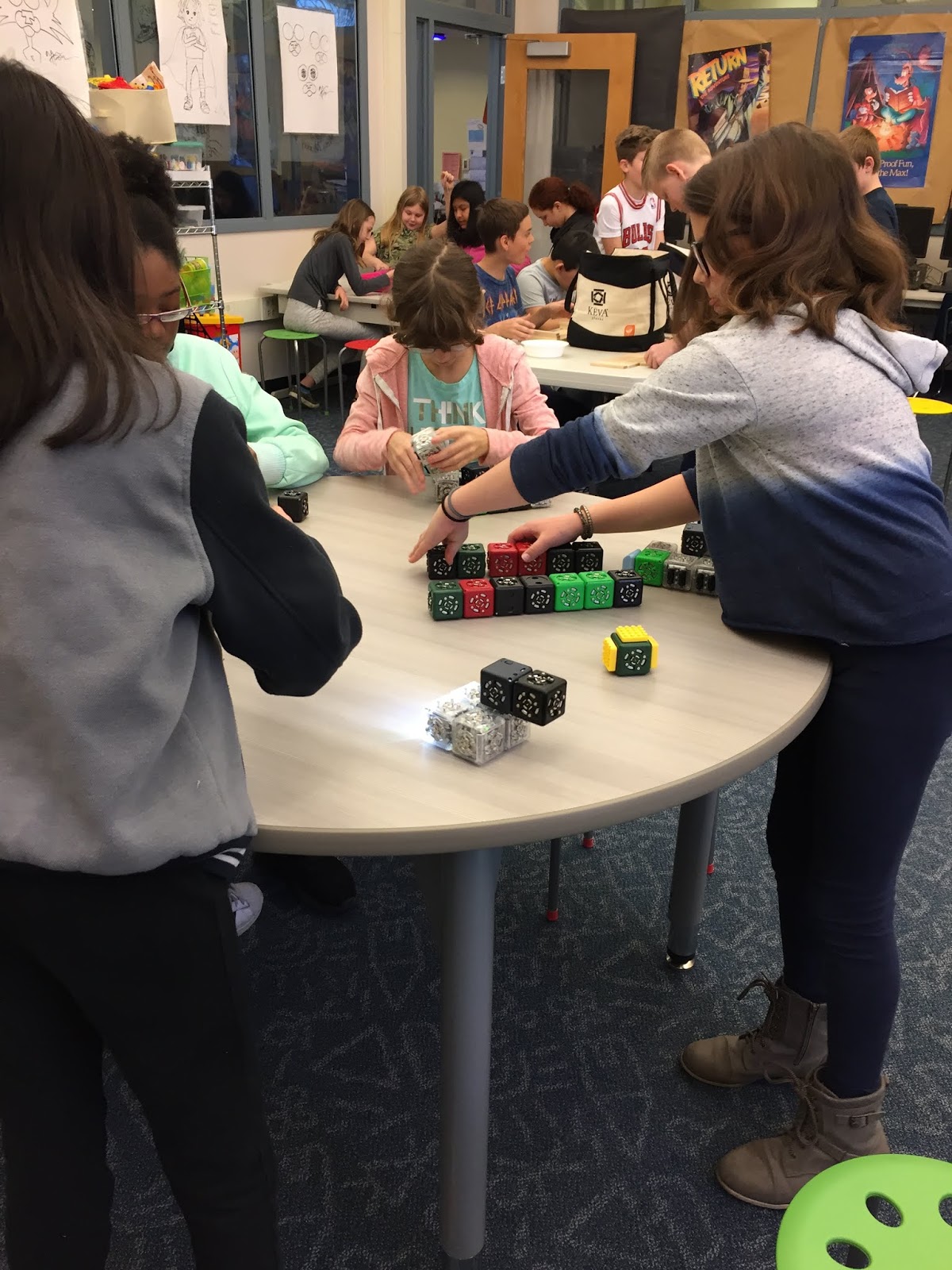
We got some donations and I was able to purchase some hands on materials.  I was able to bring each grade level in at least every other month for a week or two so that they could use different materials.  I used some of my budget or Scholastic dollars to add things that I thought the kids would enjoy.  It was a big success, but I didn't really get to do a lot of tech projects as we went from desktop computers to iPads and cloudbooks.  So at this past meeting I realized I need a blend of the makerspace and tech.  This summer I want to look at each grade level and see what I can add in easily with what I have.  Starting with #booksnaps using PicCollage at the beginning of the school year.  I think it will be a fun way for the kids to share out a book or two, recommend books to others and practice a few tech skills.  I would also liike to add in a few more tech projects to the Makerspace: LegoWeDo, claymation, stop animation and revisit green screen photos with a few more classes.


Tuesday, June 11, 2019

Thing 14 -- Bitmoji and Booksnaps


I had time to log into bitmoji a few weekends ago and do the creating on the computer of an avatar... then when I got to the end, I couldn't get back... a little frustrating.  It wanted to put it into gmail, but for some reason it didn't work and there wasn't a quick way to go back into the page to make any changes.  Well as I dug a bit deeper, bitmoji works better as an app which I later downloaded to my phone.  From there I could see my creation in various additions.  I am not sure I would really use this at all.  I wasn't really happy with some of the "situations" or phrases that were used for me personally.  You really have to comb through to find something decent.  Too bad there isn't a kid friendly creation that they could use.  I think kids would really love to do this.  My 4 year old keeps asking if he can create one, as he watched me and helped pick out some of my features.  One other thing I didn't really like was I thought that there would be a little more you could do with it or picking backgrounds or details without a person's face.


I suppose students would get a kick out seeing a few of these around the library, or on bookmarks or book reviews or even letters home, etc...  Not sure I will really put these in to fore front of my mind.  I since creating them, I will at least try to use them once and a while.

One of the other topics on this assignment was booksnaps.  I love the idea of booksnaps.  I hadn't heard of them before.  As I was looking into it, I came across an old podcast with an interview of the creator.  I have for years creating book trailers with my students, but the project took months.  I think kids might have an easier time of this.  I want to start with these when we go back to school in the fall.  Something they read over the summer.  I really wanted to see if I could do this with summer reading suggestions with my fifth graders, but I am running out of time seeing them once a week if that at this point in the year.  So starting the year with it might give them a fun transition back into school to show off a favorite book for other students to learn about.  So basically:

How to make #BookSnaps

  • Read, think, & be creative
  • Take a picture of the passage that you connect with in some way.
  • Highlight, underline, or box the part of the text with which you are connecting.
  • Create a visual representation that shares your thinking.
  • Use emojis, stickers, speech bubbles, draw pictures, etc.
  • Include the title and author or book cover to give credit.
So I just finished Ban This Book by Alan Gratz. And decided to use this as my #bookchat subject.


A fun book with a lot of potential for discussing and talking about even more books! I can't wait to try this project with my students in the fall.


Friday, June 7, 2019

Thing 25 -- Green Screening

I purchased a green screen kit at the beginning of the school year, but never had the opportunity to open it or discover even what was in the kit, let alone try something out!  Over the past two weeks, my 4th grade scholars need to do a podcast or video PSA on concussions.  I gave them the option of just filming or using the green screen.  Half of the groups took me up on it!

Two weeks ago after they wrote their scripts, I set up the screen and let them film, (still not knowing exactly how we were going to to the green screen process, but I knew I would figure it out.)

The kids had a ball filming and getting all there takes for the video.  I even had a few want to use the teleprompter app (like real newscasters) so they had it scrolling while they were acting their scenes.
They really helped each other out with filming and starting and stopping the iPads.

Fast forward to this week where we have to edit what they filmed.  I had them use the wevideo app to start their movie and add their different video takes.  Our district has a few licenses, so I signed up as a teacher and played at home sending from the app to the account.  The details of editing work better on our cloudbooks than the app.  The kids really enjoyed editing, adding music, learning how the chrome key color worked to add a background.  Lots of fun!  We watch the videos once they were complete. Overall a fantastic project, not without a few bumps in the road but tremendous.

Here is one group's final video with green screen...


 You can see it here too.

I can see using this a little more now, even with younger students if i was the major editor, as we don't have enough site licenses.  But maybe using a few free apps like Legos or Stikbots would work as well.  I can't wait to film some students doing animal projects with the habitats in the background,etc.  Not that I have gotten my feet wet with this, I can't wait to try it in many ways next year... maybe a greenscreen club!

I also want to look further into the ChromeKey app. for still pictures, etc. And I just saw veescope-live-green-screen-app which also looks interesting.  Will have to play a lot this summer with it.

Monday, May 27, 2019

Thing 23: New AASL Standards..


I have taken a few roll out workshops to dive into the new standards, but it is definitely overwhelming.  I really enjoyed seeing and reading Paige's article.  She has thinks laid out so well and the vocabulary ("power verbs") is wonderful to use when writing your own lesson plans or think about what you want the students to do.  I did have a chance to try her exercise as well where you look at what you currently do, areas i am "close" and what you need to work on...  for me I need to work on... "grow".  As much as I like the idea of reflection, I don't always leave enough time for the students to reflect on their own learning.  I would also like to expand our "global learning community" farther than our school or outside of a grade level.  I feel like something I can get done with my scholars groups as I see them for a larger chunk of time and they are usually invested and interested in what we are doing.  But I can't get every student in a similar place with some of these bigger tasks.  Seeing students k-5 is very different than MS or HS students.  I would like to see what a lot of the shared foundations and competencies really look like at the elementary level and for each grade level.  It is hard to say that "I do this" because it would only be a certain grade levels. Yes I expect more out of the 5th grade as far as the competencies and domains.... seeing lessons and how these look with younger students might make me feel a little more comfortable with the new Standards.

I loved seeing the curated list of tech links for the AASL Learner.  It is an amazing list.  I love the Best App list and the Best Website list for 2018 put together by the AASL too.  I know many of what they shared, but what is really terrific is the fact that they put little icons to show where in the new shared foundations they fit.  If they could sort by the shared foundations that would be even better!  Maybe next year! 

Nearpod seems to be at the forefront in the last year or so.  Our school district just bought into it and teachers and myself love it.  It has so many good features including pre-made lessons,especially the ones on Digital Citizenship, ways for only the teacher to control and keep everyone together as well as a feature for it to be student paced which would be great for centers or kids who finish early, etc.  Teachers can make their own and have collaboration boards for students to use all of the shared foundations.  Our district is also at the beginning of the push for Canvas which is a management system and helpful for curation, but has many features students can use at home and school.

As Librarians we are really good at the Inquire Foundation.  Over the last 10 plus years we have all put our heart and soul into getting our students to ask questions and wonder about things that interest them.  I used to like students to work on their own in the library for several reasons: I could see what they knew, where they were, and where they were going in their own work.  Over the last several years I have started to have the students collaborate, but it isn't always easy.  This year was the hardest with an environmental project I like to do with my 5th graders... between the amount of snow days, 2 hour delays, field trips, testing, kids sick on library day, students leaving our school, I found my 2 month long project turn into a 5 month project.  One inquiry project that I wanted them to collaborate on, turned in to torture for all of us due to the length of the project, kids leaving the school, and students not being friends with other group members and not wanting to finish the project.  We all started on a high note, but we all fizzled to the end.  If I could find a way to have them collaborate, inquiry and have a finished project to share and engage other students, but at a quicker pace instead of dragging on, I would love to try it.

Over the last year, I have been working on the explore foundation and sharing Growth Mindset activities with other teachers and students.  As well as the digital citizenship piece in the engage foundation.  Because I only see my students once a week for 40 minutes (if I am lucky), I tend to concentrate on one aspect or area, but I wonder if there is a way to include multi foundations with in a shorter project....  Collaborate seems to be a tough one to cover at the elementary level... although showing them resources for different projects or activities, maybe they can curate in their own life for things that interest them...


For my own reminders and having things in one place..
crosswalk with the ISTE Standards
crosswalk with future ready libraries

Thing 20 - Social Reading and book stuff

Book Tools
I have been on GoodReads for a while.  Today I added the widget to this blog and as an added bonus I was able to play with the background and formatting of the blog while seeing some updated that I wasn't aware of on Blogger.  Yeah me!

I love hearing about and seeing what others read. Recently I became online friends with a few other local librarians, Librarian Bloggers and my Literacy Coach who I am constantly chatting about books, both adult titles and children's titles.  Now we can see each other's updates.  Of course seeing what others read adds to my own to be read pile!  But hey, summer is coming right?

I also downloaded the GR app to my phone.  Then I can easily update when I finish something too.  The app is great for another reason... It has a scan feature.  So you can be in a bookstore or library and scan a book and add it to your own shelf.  But I discovered that it saves the books you scan too.  As I know I am not alone in this and snap a picture of books I not only want to read, but ones I want to add to my library.  So if you scan a book with the app it stays even if you don't add it to your own shelf.  So you don't have to take a picture and they are all together when you are looking for books to order.

Holey Moley!!  I am so excited to add the SALS catalog to what i see when I in in my GoodReads account!  Oh man this is terrific!  Thank you for this tidbit!  Took a bit to figure out how to add it and where it showed up... But now I see it and have used it!  Awesome!  Although this is weird as it asks what order I want them to appear, but it lists them alphabetically on the book pages... so I will remove all the other places as I really only search for books at the public Library for books to borrow.

Looked at TinyCat just to be informed.  Seems like a good option for a small school library.  Like the previous private school I worked at years ago.  The first screen reminds me of the new look of Follett with the ribbons.

Looking at BookTeasers with Slide Deck would be great.  In the past I have done Booktrailers with my 4th graders, but with the change in technology and tools from our old computers, I skipped the project this school year.  But sees the Slide Deck you shared, I now want to start the school year off for my 5th graders with a book challenge.  They could create a slide similar to those shared with a teaser about the book and adding them all together to show the class.  I like the idea of adding it to Flipgrid as well.  My kids are very familiar with that and some don't necessarily like showing their faces, so this could be another way to get their work out there too.  Love the idea of the Index card book teaser.  It reminds me of the short movies I used to make with my scholar kids where they drew paper images or words and filmed them coming in and out.  Putting this in my planbook now for next year.  I think it would be great for our kids to share some fun books this way.

So many good resources with this topic.  Some I know and use: SORA, LIBBY, Epic, etc... and so many others that I want another month to look at them all.  I am working with a colleague now with crating workshops online... Maybe I should sit with our Literacy Coach and talk with her about "social reading" online.  Set up a teacher book club and have the discussion and share resources...  so hard to find times to sit together during a school day, this might be a way to share and communicate...

Seems I love widgets...I always set a reading goal for myself, now I can proudly show off that I have completed... or my progress.

2019 Reading Challenge

2019 Reading Challenge
Maureen has completed her goal of reading 35 books in 2019!
hide

Thing 5 - Breakout Edu

Can I just say how much I really love the idea of the Breakout box.  I purchased a kit a year or so ago and was able to use one of the pre-made lessons with my 3-5 students at the beginning of the year.  I used The Dot  as our art teacher was doing the book and a creating lesson in her art room.  I thought it would be a fun one to use as the kids intro to the Box.  Most classes really worked together solving the clues and successfully broke out.  The ones who didn't wanted a second chance.  Very successful.

I also used the Mr. Lemoncello's Library pre-made lesson with my scholars to help as a team building exercise.  They really worked hard to solve the clues and wanted to open the locks before time was up.

Last week I put together a word document for the digital breakouts for my 5th graders to work on as they finished up a current project.  The theme was spring/summer/outside play and I linked each game with a QR code so they could scan it with the iPads.  There were six they were allowed to choose from.  Many students liked working in pairs or small groups to try to figure out what the locks were.  At one point two tables starting talking about what combinations they had tried and what might work next.  A great thing to watch!

I was disappointed to see that the company has changed so that they have either stopped hosting many of the free lessons and are now charging a yearly fee.  I really don't have that in my budget as it continues to shrink.  So over the last week I started to think about creating my own game to use with students.  The first one always seems to be the hardest... hopefully once I complete it then the creativity will start rolling...

I teach Mars with my 5th grade scholars at this time of year.  To introduce the unit I used a pre-made "escape room" themed with the Solar System.  They enjoyed it.  But if I could create my own with a specific Mars theme, I would be able to highlight a few key details they will be studying.  So with the brainstorming paper provided I started thinking of which locks I had and could see along with what combinations.
Locks:
3 digit - 687 (number of Earth days in a Martian year)
4 digit - 4220 (diameter in miles)
or 2025 (the year Elon Musk wants a manned colony on Mars)
letter lock - solar or water
directional lock with clues with a UV pen and black light
also a lock and key

Would like to highlight Mars Moons as well as other key facts seen here:
https://mars.nasa.gov/allaboutmars/facts/#?c=inspace&s=distance

Hopefully with a little more time I can type up any clues and print out a few colored photos for the students to use.  I am really excited about the possibility of creating my own.  Seems I need a week or so for all of the details to sink in as I came up with one more lock combination and idea as to where to hide the key to use... maybe even through in a poem about Mars, laminated and cut it into puzzle pieces to solve and hide them in the smaller box with the blacklight inside as well.  This way they need to solve a clue or two before they get a few more!

Tuesday, May 21, 2019

Thing 1 -- getting started... once again

So here I am once again... I couldn't let the final Cool Tools workshop pass me by without jumping in!  I am very late getting started which is totally unlike me... family life got in the way for a little while and things went that direction instead of this direction....

I am Maureen and work as a LMS in Saratoga Springs.  Have been here at this school for 17 years and a classroom teacher long before that.  I love what I do as it is a balance between books and technology.  This year we got rid of all the desktop computers in the lab next to the library and I created a Makerspace.  There are lots of consumables and STEAM objects as well as cloudbooks and iPads.  My goal is to really find better uses of these tech with this class.  I feel very comfortable with the iPads, but want to be able to use the cloudbooks for more than Microsoft Products.

As the school year is coming to a close I find myself looking back at the projects and technology I have done with my students and it feels minimal.  Which shocks me...  hence why I really need to find more inspiration here.  Thanks!

Saturday, April 15, 2017

Thing 42 -- Done? Reflection

Thank you to Polly for hosting the Cool Tools for Schools once again.  I always hesitate for a moment to sign up as the question arises... will I have the time in my schedule, if I sign up I want to to try something learned in my library and is that possible with everything else...  Needless to say I am always happy I sign up as I learned about new tools and get time (or make time) to try things out and think of ways they can be used in my library.

On thing that I tried to do the last few times was look at other elementary libraries and learn what tools they are trying and using.  As much as I have ideas of things, I always love talking to my colleagues and hearing the amazing things they are doing, but sifting through all the blogs to find those elementary examples were time consuming....  Thank you for organizing the blog list in categories!  It lets me connect with others in my same situations.. a little PLT thing happening I guess.

So from my online colleagues I saw:
1. flipgrid -- not sure how exactly I will use it, but it could come in handy for the self reflection piece we are being asked for with PBL.  Starting an environmental project with my fifth graders and could easily use this as an exit ticket...  or in the following years, could easily be used all year and add different questions or topics throughout the whole year instead of just one topic or project!

2. https://online-voice-recorder.com/ is a new one to me... like this a lot too.

3. http://soundbible.com/free-sound-effects-1.html -- might also come in handy for my fifth and fourth grade projects.

4. Love the idea of a library instagram account and keeping parents in the loop of lessons, new resources, author visits, etc...  So spot on!  Signed up now for our library and will start sharing things with our families!  I was thinking to share the info even start with an announcement with a QR code to get them there and following... Just trying to get all the good we do at the library out there!  Have to remember to take pictures of the hallway displays I create for families to see what their kids are doing.

5. http://www.storyboardthat.com/ is an interesting one too.  A bunch of elementary lesson plans are given too.  And it works well with http://www.photosforclass.com/.  This site puts the citation right underneath the photo so credit is right there.  Found another sit from a blog called: https://www.splitshire.com/ which looks interesting, but I like the ones we have at the ready for school already.

6. Sitting next to a colleague at a conference we were chit chatting and I saw that she had a few great apps on her phone including: common-core-standards and next-generation-science-standards.  So helpful to have it at the touch of a finger and not having to search elsewhere.

Thanks to Polly for a fun session with a lot of good resources including a lit to others working through the Tools and by level!  So many ideas... I decided to go back and read through all of my blog posts from the beginning (four sessions ago) and see what I found then and if I have used it or how I can use it next year.  I want to spend time this summer getting some ideas on paper and into my plan-book and really start using them with the kids.  Thanks for the spreadsheet.  Wanted to put it here so that I could always find it!

Thing 18: Student assessment & feedback tool

Recently discovered the recap-video-response-and-reflection-for-education app.  What a find!  Of course I downloaded the app on several iPads and it gets "stuck" before it loads the video... Very frustrating...  Going to test out in a different location to see if that helps, but my hopes are not high right now.  It really looked like a fantastic "exit ticket" response that was really engaging for students...

I have seen https://www.spiral.ac/ before and it looks interesting for older students.  Or for my scholars classes that I have for two hours and they can handle the collaboration in the time I have them.

https://edpuzzle.com/ looks like a great place too.  It links up with edmodo which is great and things can be assigned there for your students as well.  I can see this as an interesting homework assignment to peak kids interest before a project or the check in as you go.  Especially with NGSS there are some interesting videos that could be used too.  http://www.bozemanscience.com/ could really drive something home or get them excited.

I recently heard about seesaw, but hadn't had a lot of time to investigate.  http://web.seesaw.me/ looks like it would be great for the classroom teacher.  OR if I picked one grade level and one project, but it seems like it would really work well for the classroom!

Love the idea of digital exit tickets, and the ideas on this article are great.  One problem I have is is that I do not have lots of technology in the library, computer access yes, but no iPads for a super quick assessment.  Kids have to log into the computers and then go instead of something touchable.  I do hope this changes over the next year or so, but I may be bound to computers for a while longer.

Next I looked at https://dotstorming.com/.  Kind of neat especially with adding pictures or pins to have the kids vote or express ideas on something.  Just finished a Fairy tale project with first graders and this could be another fun way to get their responses:
https://dotstorming.com/b/

Sunday, April 9, 2017

Thing 29: OER

I guess I didn't realize I do some of this, but not enough!  I am a Follett user and we have OER sources on the catalog, not to be better about using them myself and showing the students and teachers to goldmine they have at their fingertips!  I take to the kids bout "Creative Commons" and this year we have worked hard to make sure they cite where they slurp things from and the use of copyright laws... for some this is too big to understand... small chunks at a time for us.

So I have been gathering information for a fifth grade project that is based on the question: What environmental concern makes you want to advocate for us?  I started out finding images through Britannica ImageQuest and taking to them about many issues that we face from global warming to climate change, from endangered species to invasive species, from deforestation to oil spills and how plastic may have been good for many reasons we are now seeing how plastics pollute the world.  They have been doing their own research through or science database: Scienceflix and PowerKnowledge to gain so background information along with possible solutions.  We are taking our information and going to be writing action plans that we will type and send off to a government official of their choice to see if they will advocate for us too.  So I have discovered through: http://www.curriki.org/ an design your own invasive species project from http://www.arkive.org/education/ which has a ton of resources and lessons broken down by age!  Amazing.  May have to revisit this site for my other grades for more ideas.  There is also a Persuasive writing letter too.

OpenEd had an interesting video on invasive species that might help illustrate this to the students. A lot of the resources I found we geared for a higher level, but also found a video for why does climate change matter which might help spark a few more kids to advocate for change.

OERCommons lead me to Connecting Kids to invasive species. And Litter life which talks about a different danger of plastic... how invasive species travel across the water to make new homes.

Ck-12 was set up as a searchable resource allowing easy limiters on grade levels or types of lessons you are looking for.  I stumbled across Ecosystems: New to the neighborhood whic may help a few of my students.

As much as I love Pinterest because it is easy and I am a visual person, trying OER in various places might be the way I try to research a new type of lesson for myself or to get inspired by other educators work.  https://www.edutopia.org/open-educational-resources-guide has a nice list of resources and videos why OER is important.  I would like to share these findings with my faculty to help make some things easier for them as well.

And I am going to put this link https://search.creativecommons.org/ on our Library resources page.  Good for teachers and students!  Interesting list of places to acquire materials: https://creativecommons.org/about/program-areas/education-oer/education-oer-resources/ Something for everyone here.

Thing 28 :Online Learning & DIY PD


For many reasons I wanted to learn sway, so I thought I would combine the online learning with
Introduction-to-Sway.  A teacher in my building tried it with her students and would love to try to support their learning and add this to their list of growing software successes.

I also joined an online book group through Library Learners back in January.  We are reading the same Professional book chapter by chapter, implementing in the classroom and then commenting to each other.  I had picked up the book a while back because I loved the idea, but never had a chance to read it.  I try to read at least one professional book a year between the ones I read for the library, and gain a heightened awareness.  I am enjoying not only reading the book, trying different things in the classroom, but also hearing what others are experiencing and learning from them as well.  It is one thing to read a book, but to actually put it into practice and talk with others about the same experiences is really helpful!  Things I hadn't thought of or those "me too" moments are wonderful!  I am trying many of the ideas form the book: "Reading Picture books With Children" and it is great to see the kids pick up things before I do.

Recently I started investigating https://edutrainingcenter.withgoogle.com/fundamentals where an educator can go through the online course with lots of training to become a certified Google Educator.  They have two levels and may come in super handy in my future.  I have started the first level, but may really only get more time when summer rolls around.

I am constantly signing up for Webinars all over the place.  Even If I don't get to them live, they usually send the digital recording.  Our district allows you to send a completion certificate or send over the notes you write during the PD as proof of completion.  So both are good options to continue to further whatever i see cross my screen.  Just sat and listened to one on the future of Coding and how to get more girls involved.  Was a lot of what I already know, but I found a few new sites to try out including the tickle app.  Will go back and try that soon.

Last week I also started looking in to and touching base with a few librarians and Technology Integrationists about doing some visits to see how technology runs in each school.  I am excited to be given permission to take the time and go to local schools and see how they use technology on a daily basis.  While do other research I found the EdCamp and saw that one is being offered local to me in early July.  Can't wait to try this and bring a few of my colleagues to get them excited about our new influx of iPads and laptops in our building.

Monday, February 27, 2017

Thing 11b: DIY -- app building

This topic has fascinated me for a long time.  We use apps and coding is in my wheelhouse, but app building... so intriguing.  After 2 years of straight block coding with my students, I feel like they are ready for something more!  Something I have been looking into for the end of school with my fifth graders.  recently saw a new subscription box for kids that was all coding.  After investigating more I see that they have special things for teachers as well as their own Hour of Code site where kids can actually make apps.  They also have great lesson plans connecting to standards at multiple grade levels.  Simple though it may be for some, the students will be getting exposure to java script which will come in handy.  This is probably one of my best bets for school use.

Through app investigation I came across appinventer through MIT which shows students at varying levels how to make an app. Includes tutorial, learning spot as well as lessons for teachers.  There is software to download and I do not have the authority to download and run at school.

There is also a great website:
https://www.codeschool.com/blog/2015/05/13/how-to-get-started-writing-code/ which explains some of the differences and similarities between the languages.  Then they have a lace to try things out too: https://www.codeschool.com/learn.  Some of which are free courses.  I started with the Python course.  Lots of good math happening there too.  I would need to start a little simpler for my students, but this would be a great site for them to try different things on their own.

I also was able to search the app store to see if there was an "app building app"... well there was, but it was more for business than education.  Pretty easy to use and choose formats and edit their one template.  But not really what I was looking for.

https://developers.google.com/edu/ Also has on their page lots of good online classes to teach coding and app building.  Plus the Google Computer Science page has free resources and lesson plans for teaching code as well.

later... found today that Tynker also has some good places to start.

Wednesday, February 22, 2017

Thing 16: Media skills

So I have a biography project coming up with my third graders.  We are picking a person to research from America that has made some impact and is no longer living.  Students will have to gain background knowledge so that they can write a persuasive letter to the Postal Service explaining why this person should have their own stamp.  The students will design a stamp... so I definitely could either have them draw a picture, then snap a photo of it with the iPads and have them either create a collage effect and play with the colorings so that they could see what a whole sheet of the stamps looks like, then print them.  I was going to have them draw then scan it and make a sheet, but I am looking toward this now.  They can use https://www.fotojet.com/ on the computer to create instead of drawing an image on paper.

Or they could find an image of their person from our online databases, then edit the photo with something like https://pixlr.com/editor/, then add it to a template Fotojet to have a set of stamps...
So that this:
Can become this: 
I think the kids would be so excited to try this!

Another photo collage maker is https://www.befunky.com/create/collage/ which is also super easy and gives a few more squares to represent stamps pages... So I might go with this one instead!
or even more!!!
The kids will be having as much fun as I have been.  So we can print out a page of stamps and their persuasive letters and mail them off to the committee who makes decisions!!

Or we can play more in photo editor and make an Warhol type picture for the stamp collages


Also tried out https://pablo.buffer.com/ which would be another easy one for my kids to use for a simple project... Here is one that I designed to help inspire the teachers

Monday, February 20, 2017

Thing 25: App-palooza!

We play and learn with many apps, both at home and at school.
Love the app challenge pages: http://www.thedigitaldogpound.com/app-task-challenges.html.  Hosting a workshop for my building teachers as well as the district would be a fun time.  Teachers after introduction be able to take what they learned from the app or task and use it within their classroom.

After exploring librarian-approved-30-ed-tech-apps-to-inspire-creativity-and-creation/  there are many interesting apps to test out including: adobe spark which allows the user to create an animated video.  User combines video clips, photographs and overlay text to create a video.  Would be interesting to see what my students could do with it with a short research project and how to display their info.... working in teams would be a good thing too.

Another one would be https://storybird.com/lark/ good for poetry.  Add a photo and it can be an illustrated poem.  With April coming up soon, I would love to play more with with this free app and possible let my students make a poem... either as a project or in a center.

Combining both online PD I watch a webinar at http://www.edweb.net/emergingtech
and seeing theres-app-50-apps-will-rock-world-60-minutes/
What I am hoping to do is learn how to create a working app. (will explore in a different "thing post")

Also Looked at http://www.edweb.net in their communities and saw that Tech & Learning has community.  There I found in their forums a list of top technologies.  From here I looked at the apple apps page where things are broken down by level.  there are also a few different guides to evaluating apps and organization for teachers.

Stumbled across story wheel where kids can spin the wheel and add features of a story and watch the story come to life on the screen.  They can record their voice to go along with the story as well. Cost is $2.99, but a lite free version is also available.

I also like the idea of combining apps to make a project... say taking pictures and editing them into black and white or distorting the image, then using a comic strip creator to add text to the pictures... I think my third graders could handle something like this...  Maybe an extension of a biography project or frog research...

Sunday, February 12, 2017

Thing 22: Annual Reports – Make Them Matter

Annual reports just came up at our last meeting... Everyone does things differently and some not at all.  As important as I believe this to be, I have not made time in the past to create an annual report.  I saw Library Girl's presentation last year (or so) and was inspired to try to make this a priority, but with other things that came up at the end of the year, I just didn't do it.  I figure, If I start thinking about it now and pick this topic, it will push me into gathering the data I need to present an annual report.

As much as I would love to consider a monthly or even quarterly report, annually might be where I start.  As far as what I would like to include:

  • circulation statistics - post popular books, increase in check outs?
  • average age of the collection
  • average number of check outs per student
  • checks by grade levels
  • ILL numbers -- what we send and recieve 
  • number of new books - break out of the number added through our "adopt-a-book" program in the spring
  • database usage
  • new projects done
  • highlights like - December is Coding Month, addition of PLTW, etc.
  • improvements- sorting the E sections and creating and Easy Reader section, plus display shelves
  • number of weeded materials
  • stats for digital books -- overdrive vs tumblebooks vs bookflix
  • possible goals - more collaboration, more tech opportunities
  • number of students and staff seen each week/month
  • author visits
I thought the information on Debra Kachel's Annual Report Guide was very interesting as well. I need to print it out and highlight a few things I would like to concentrate more on.

As a working document, I signed up for https://www.easel.ly/ and will see if I can create something "quick and easy" I can manage in very little time.  Now have a working template that I can add things to and change when needed.

Thursday, February 9, 2017

Thing 23: Infographics & Data Visualization

So I spent some time looking at the Video posted: Beauty of Data Visualization.  How very interesting especially when considering we actual intake more more through our sense of sight than anything else. I thought it was so cool how you need to add levels to the data to make them understandable instead of just one level.  His examples were brilliant!

Kathy Schrock's video would be super helpful to use with my older students to give them some background on infographics and how to manage their project.  Keep it simple.  This works for everyone involved.

I have seen infographics with the data from your own library and thought that I might go this direction where I use it for myself and my information.  But no I think it would be interesting for students to use this.  No only for research and understanding there information, but also a just for fun project as well.  Students could pick a quotation that means something to them from a book that they really felt hit home with them.  We could compile them and display them on an infographic at their moving up ceremony in the spring.  Something interesting to them, book related and displayed for their parents.  My fifth graders are also working on a Civil Rights Hero and Leader project with me and we could use the format to display some information about these heroes or different quotes from a leader.  They could work in small groups and create themed simple infographics with https://www.brainyquote.com/
I used https://piktochart.com/.  It was a free signup with limitations. For something simple like this, I think the kids would have a blast creating it.  There are a few templates, but nothing worked quite right for this project.  The kids might also enjoy using it to show off their research on a specific topic as well -- science, animals, biography, etc.

Sunday, January 8, 2017

Thing 13: Coding

Coding has fascinated me for several years.  So much so that I do the hour of code with my K-5 students for the whole month of December last year and two weeks this year.  I created accounts for all the students and off then went and coded and created games and shared in the fun.  As I watched my fifth grade students this year, I realized that I am going to have to do something more!  Something more challenging for them next year or possibly at the end of this year.  Kids code now!  At school, at home, at the library... they have apps and websites and robots to code.  And man is it fun!  I even am working on a special project using iPads and the scratchjr app with my third graders to create stories of their creation.  But I only have iPads when one class comes down.  Lots of great stuff happening.

But I am still thinking ahead to the future.  What can I bring to the table to advance them.  So I began investigating computer programming through the Khan Academy.  https://www.khanacademy.org/ There is java script and html code lessons that I think they would eat up knowing they could create things for themselves.  They were asking to use java in December, so maybe in May and June when book exchange stops and we need things to keep us on task.  I ran through several lessons of the Pixar in a Box and I think the kids would really love this.  I may inspire them to a future in animations and commuter technology.  Which is what the computer science field is lacking... interested and experienced people.  Maybe my students... especially since they have all seen at least one or more of these films and can realize how many different people are needed to create one film from concept to the theater.

This week I also started investigating code.org's middle-school curriculum.  Since my students are already comfortable with the current courses offered at the elementary level, I might want to introduce at least my fifth graders to the harder content and let them run wit it.  I am going to need more time myself to run through the lessons that are their, but I love that the new pieces they are releasing have some project based learning aspects and springboards to the coding and problem solving.  Fantastic in what our school is currently trying to be successful launching.

Putting this site in my back pocket too: https://codehs.com/info/curriculum.

Or maybe after spending a while with https://www.codesters.com/coding-curriculum/ working in Python, my fifth graders my love creating a digital postcard.  https://www.codesters.com/curriculum/intro-to-codesters/Building+your+First+Program/18/.
Here are a few examples of the digital projects:


I think having a finished project once they learn the language might be a great choice!

Thing 11: DIY -- digital storytelling

I have been looking through too many topics at once and need to refocus.  I started with Animated story telling moved quickly into coding and now I think I am back to Animated Storytelling.  I have been trying to find a good, quick and easy way to incorporate this into my current projects.  I do a lot of computer projects, but want to expand with 2.0 digital tools with my students.

So after getting more distracted with http://sdst.libguides.com/newtools I learned about web 3.0 which was fascinating.  I try to tell my 5th graders about this.  It reminds how I felt when the WWW first started and how you clicked on one thing and ended up 7 miles from what you were originally searching.  I do hop there may be a solution for not only the amount of data on the web, but how it could be better organized.  As frustrating as searching was then, we have added billions and billions of pages and can get overwhelmed when the answer you are looking for doesn't appear first....

From here, I started looking at the http://www.slideshare.net/ctjonline/integrating-technology-into-the-classroom-for-young-learners.  What drew me in was young learner's in the title.  There is great material and ideas for older students, but I want to bring easy and quick ideas down to my K-5 students more often.  Then I ran into this project:
https://www.mixbook.com/photo-books/education/a-tour-around-the-u-s-a-4269258
What a great idea.  Slapping forehead!  Why didn't I think of this too!  I just completed with my third grade class a trip around the USA where I had them make posters to display and present their states after having created "I wonder questions" and using the power of persuasion to convince people to travel to their chosen state.  How nice would it have been to do this project, have them research, make a poster (or even use WORD to add pictures and gain typing experience), then load things into mixbook or the like and have a digital presentation on the smartboard and to share with their families at home!  This is so going in my to do file!

Still in the young learners site they shared: http://zunal.com/index.php to create webquests.  I made webquests about 15 years ago when I first started the library program.  I taught myself HTML coding to create the page as nothing link this existed then.  I love the ease of making a webquest with this site.  I should pullout the ones I did then and put them into this site for continued use.  Sadly I believe the geocities site was taken down several years ago and it would be nice to have access to my work once again.  Not to mention the many completed ones at this site to use and explore.  Just look at all the ones for the K-2 level on technology skills!! http://zunal.com/xbrowse.php?Curriculum=111&GradeLevel=101&Page=1  Digital citizenship and keyboarding!  Perfect!

Now to sit down with my planbook and work these new ideas in... maybe even as my observation lessons.

Saturday, January 7, 2017

We begin again...

I love this course, but I seem to have trouble sitting down and completing one topic at a time.  With all the choices I started in digital storytelling, but then got distracted by coding...  I have so many ideas, I need to stay focused and concentrate.  I have report cards to work on and get done this weekend, then I will devote more time to my cool tools topics...

Monday, May 25, 2015

Thing 20: Final Reflection

Well I am sad that this is the last entry for this session.  I tried to stay with the same track as I will hope the course will be offered again and I can move onto track 3.  I find the topics engaging and interesting.  I loved this session as I plowed through each topic and found a lot of new material that I could use.  Now to put it into practice.  Maybe we can have a session or discussion on what we have taken back to the library classroom and put to good use!  Would love to hear and see what others are actually doing with these materials!  I know I have ideas, but I don't always get a chance to put them into practice.

Over the summer my plan is to review all the topics I have done on this blog, including the first two sessions to see what I found engaging and see where I could use them with students.  and see if and when I have used the past materials.  Plan forward and see what I might like to try with different grade levels.  I actually used the ABCya Word Cloud maker with my fifth graders last week.  They had just finished a newspaper information project using Printing_Press from ReadWriteThink and I had a few finishing up, so I had the ones who were done look over their project and pick important words or phrases from their topic or look it up on the World Book database and create Word Clouds.  They had a great time, plus asked if they could use it for other projects as well.  Quick and easy with big results!  I also plan on using it myself with my son.  I want him to come up with words to describe his teachers, then we will make a word cloud and print it off to give to them.  He did a great job with the last one we did together on the topic he was learning about with his class.

I have also signed up for several webinars.  With 2 small kids at home and summer coming, I thought this might be a way for me to work in some PD without leaving home.  I checked into how it would work with getting create for my district as well.  Most have a certificate to print off to submit or if we take notes and submit those... either one will work.  I have already looked at two webinars this month and submitted them to the district for PD credit.  One was on one of our databases, FactCite, where I learned a bit about how they set it up and some quick highlights.  It was great.  I took notes and have been recommending it to my teachers this past week who are working on biographies and Civil War.  I used it with my scholars group and showed them the Topics in History and we looked at Civil War as well as generals in the biography section.  Great to put something small into practice as this!  I have a growing list of webinars that I plan on watching including TeachingBooks.net and several at WebEd.  I am excited for my summer learning and continual path.

Oh I love learning this way.  From my first online class during my Library Science degree to today, online is a comforting place where ideas and places are easily shared.  I have enjoyed each of the Cool Tools sessions and learn a great deal each time.  As I stated earlier, I hope this is opened again and I can do Track 3 as there are several topics I would have loved to jump on and may if I have a bit of extra time this summer.  So thank you foe being organized and introducing us to all sorts of topics that will excite and transform our teaching!


Final thing reflection

It is really hard to believe that this workshop has come to an end....  my first blog post for this series of classes was from 2010...  m...